Aison Edu V2 · Education technology
Live · Full rolloutEducation infrastructure, re-engineered.
Aison Edu is an adaptable technology platform for modern educational institutions. It is available as a common platform institutions can onboard onto themselves, and as an institutional deployment shaped around one institution's workflows.
Version 2
Aison Edu V2 is here.
The current version of the platform brings academics, people, finance, campus operations and communication into one system, with reporting and an assistant that work from the school's own records, on the web and in a mobile app.

Inside the product
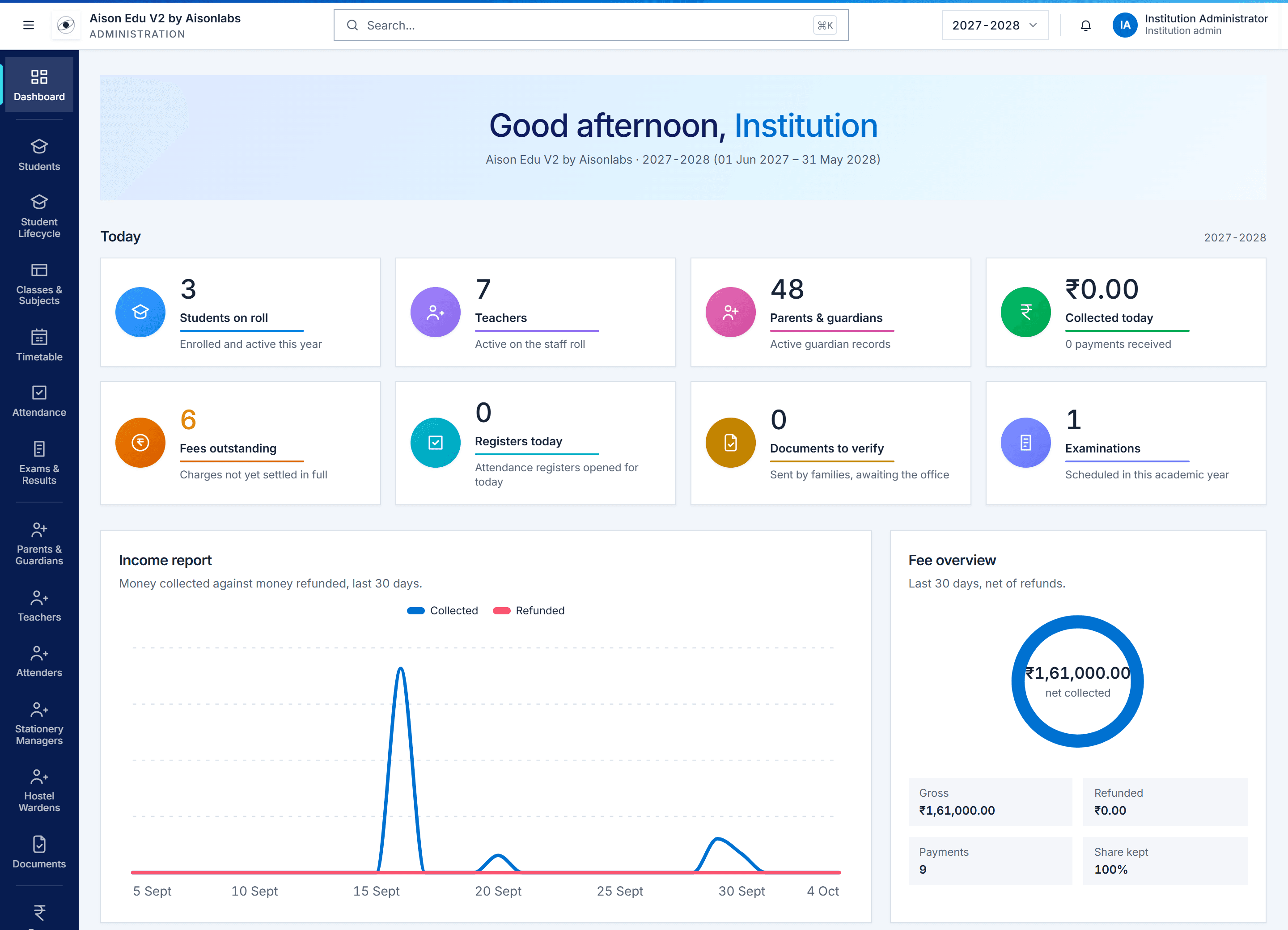
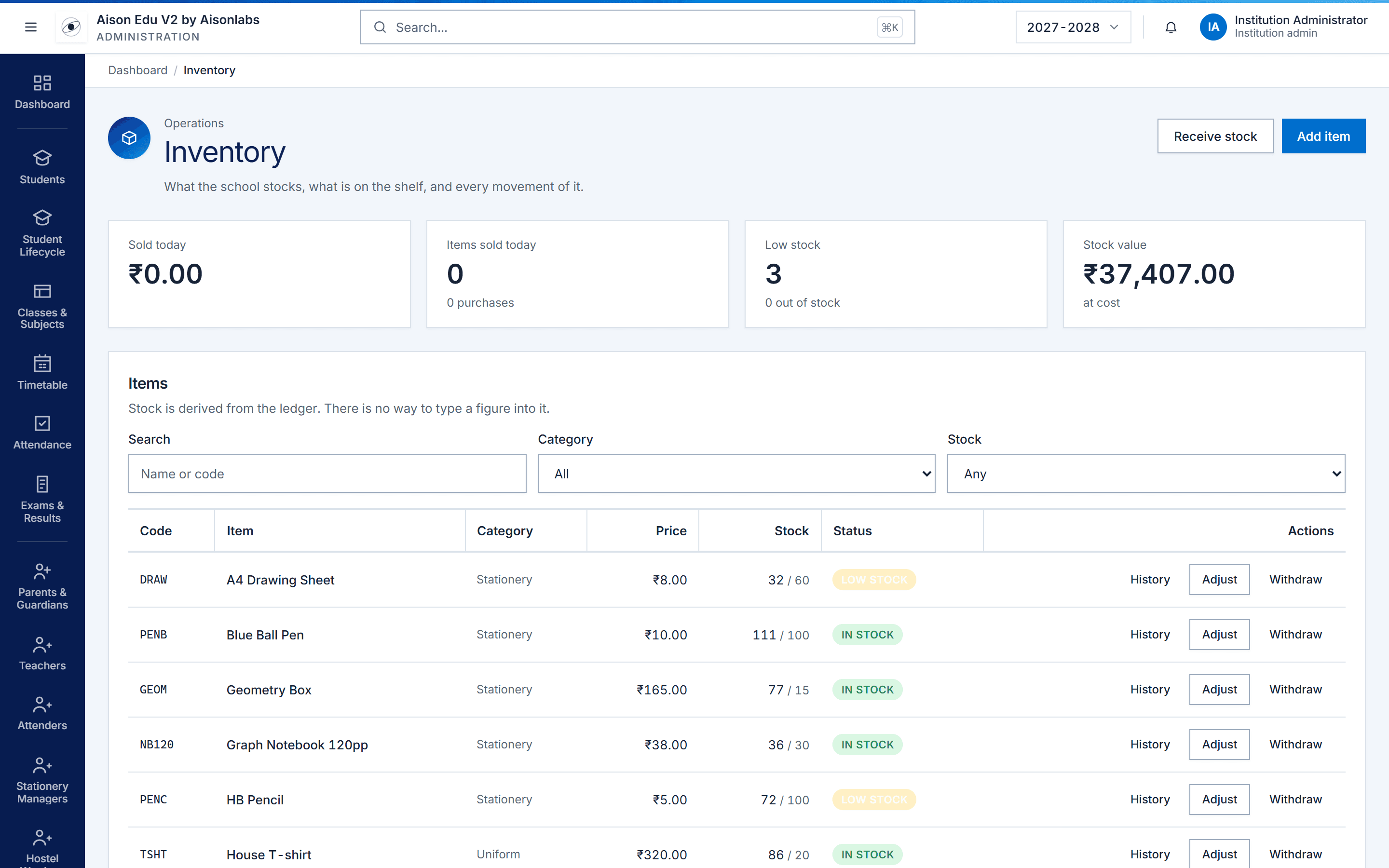
A look at Aison Edu V2.
Real screens from the product. Every module shares the same records, so a figure on one screen is the same figure everywhere.
Modules
One system for the whole institution.
Each deployment is configured around the institution's own structure and workflows.
Academics
Admissions, the academic structure, timetables, registers and exams, all attached to the same classes and sections.
- Students
- Student lifecycle
- Classes and subjects
- Timetable
- Attendance
- Exams and results
People
Everyone the school depends on, and the accounts they sign in with.
- Parents and guardians
- Teachers
- Attenders
- Stationery managers
- Hostel wardens
- Documents
Finance
Fee plans, payments and daily collections, calculated from the payments themselves.
- Fees
- Daily collections
- Stationery accounts
Operations
The day-to-day running of a campus, in the same system as everything else.
- Inventory
- Gate pass
- Library
- Hostel
- Transport
- Live buses
Communication
Messages from families, announcements to each role, and WhatsApp messages to parents.
- Messages
- Announcements
- WhatsApp messages
Insight
Reports that download as PDF and spreadsheet, and an assistant that answers from the school's own records.
- Reports
- AI assistant
Transport
Bus routes and live maps.
Transport is part of the same system as everything else. Routes are drawn on a real map, and while a bus is on the road, the school office and families can see where it is.
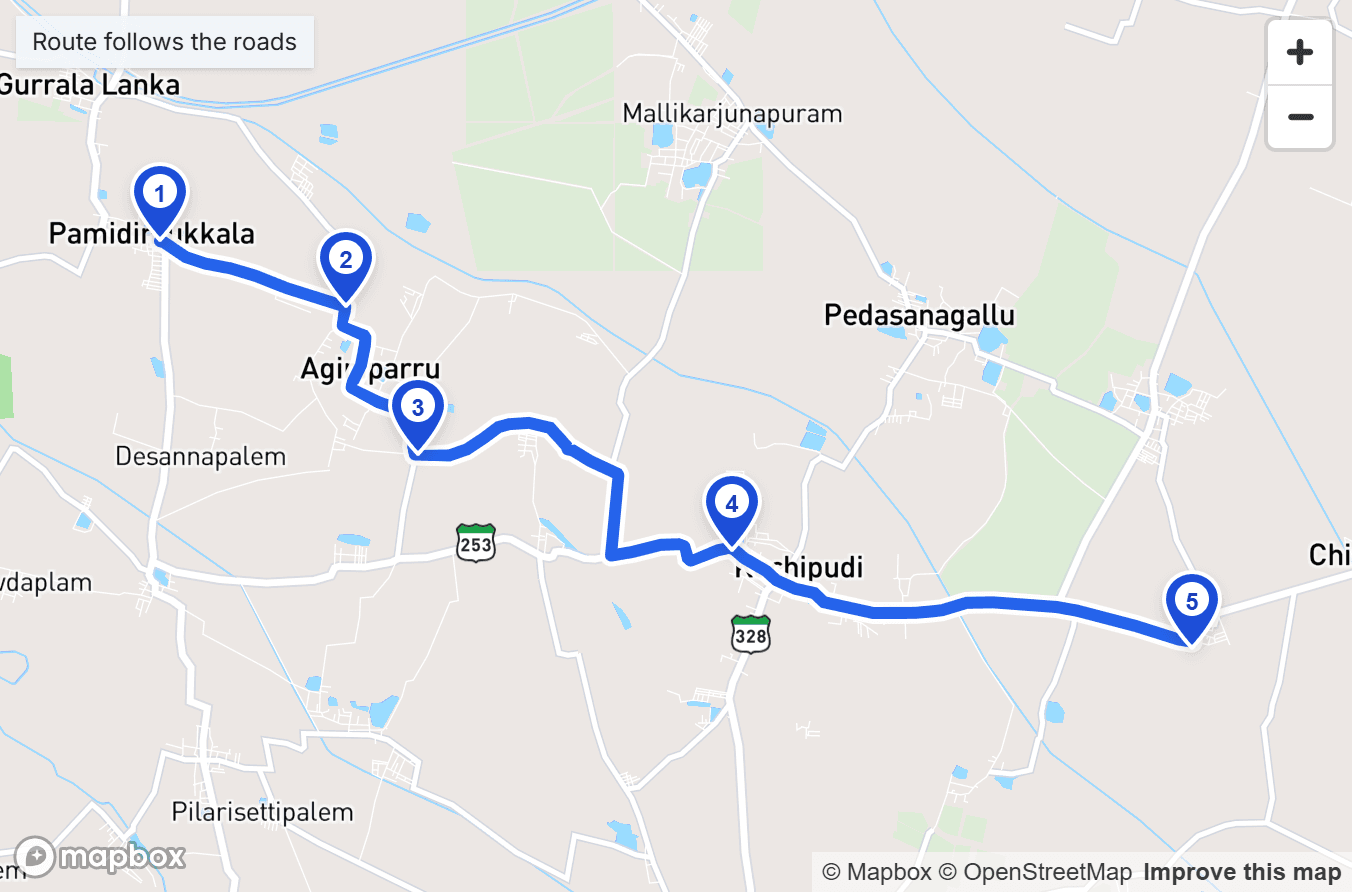
Routes on the map
Each route is a numbered set of stops, placed on the map and joined by a line that follows the roads. Drag a pin to move a stop, and the order is the order the bus makes them.
Live buses
When a driver starts a trip, the bus appears on the live map. It leaves the map when the trip ends, and the view refreshes every ten seconds.
Honest when a bus goes quiet
A bus that stops reporting stays on the map in grey, with how long since it was last heard from, rather than drifting on as if it were still moving.
For families
In the parent app, a child's bus is shown on the road for the length of the trip, and nothing about where it has been afterwards. No arrival times are promised.
For drivers
Drivers have their own role in the mobile app, for their route and their trips. Their phone shares its location only while a trip is running.
Mobile app
AvailableA mobile app for every role.
Aison Edu V2 comes with a mobile app for the people who use the system away from a desk. Administration stays on the web, where the full system is managed.
- Parents
- Teachers
- Hostel wardens
- Attenders
- Bus drivers
In the parent app
- Where the bus is
- Attendance
- Timetable
- Results
- Fees
- Stationery account
- Library
- Transport
- Hostel
- Marks memo
- Documents
- Notices
- Messages to teachers
- Assistant
The Aison Edu V2 parent app, shown with demo data.
Deployment
Two ways to run Aison Edu.
No institution should have to reshape itself around rigid software. Choose the common platform, or an institutional build where everything is customizable, on web and mobile.
Common platform
Platform
Ready to use. Ready to scale.
Institutions onboard themselves and use Aison Edu as it is. The parts that benefit from scale stay common across every institution.
- Discover
- Onboard
- Configure
- Use Aison Edu
Custom deployment
Institutional
Your institution. Your workflows. Your Aison Edu.
Everything is customizable. Aison Labs works with the institution to understand its requirements, then reshapes the web system and the mobile app before deploying them around how the institution actually runs.
- Understand
- Reshape
- Customize
- Deploy
Adapted around your institution
- Workflows
- Interfaces
- Modules
- Roles and permissions
- Reports
- Integrations
- Mobile app
- Branding
In production
In full rollout with Mandaara Educational Trust.
Aison Edu is running in a real institution, and that is where the platform is being shaped: by everyday institutional use rather than by a roadmap written in isolation.
Outcomes and a case study will be published with the institution's approval.
Bring Aison Edu to your institution.
Tell us how your institution is organized. We will say plainly whether the platform fits as it is or an institutional deployment makes more sense.